






 Settings
 Fast Delivery
 Free Shipping
 Incoterms
 Payment Types


 Marketplace Product

What is SSH?
2026-02-16 | By Maker.io Staff
Anyone who tinkers with Unix-based devices, like the Raspberry Pi, will sooner or later come across SSH. You may have always wondered what this acronym means and how it can benefit you and your projects. Read on to learn what SSH is and how it helps you take your DIY builds to the next level.
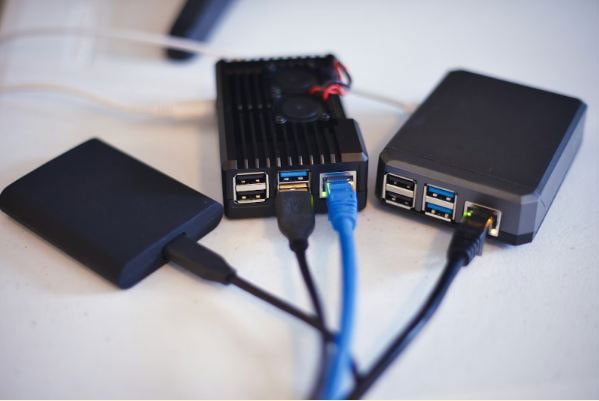
What is the SSH Protocol?
SSH is an abbreviation for Secure Shell, and it describes a cryptographic (secure) networking protocol, originally designed for devices with Unix-like operating systems. The protocol allows users to work on computers remotely as if they had access to the device directly. This is accomplished by providing an encrypted communication channel, even in unsecured and public networks, such as the Internet. SSH operates at the application-layer in the OSI model, meaning it does not depend on any particular underlying networking architecture.
SSH replaces protocols that offer less security, like Telnet and Remote Shell. These predecessors were designed to grant remote access to computers. However, they failed to provide encryption, or exchanged authentication credentials without encryption, which made them unsuitable for use over the Internet.
Where is SSH Used in DIY?
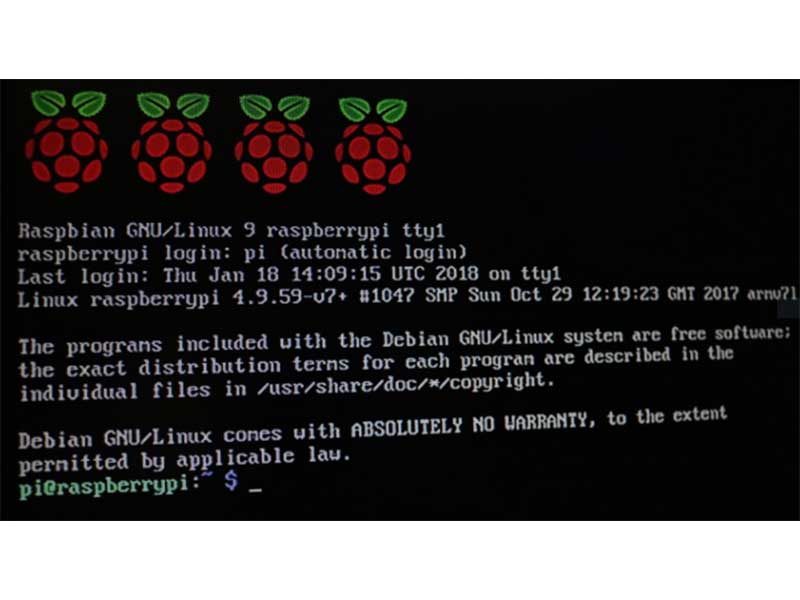
SSH is a valuable tool for working with Unix-based development boards, like the Raspberry Pi. The most common use cases include setting up a device without a keyboard, mouse, and monitor (headless) to manage remote devices. Using SSH, you can log in and perform any action that you could normally perform using a physical keyboard. Examples include installing, configuring, updating, and starting programs.
While managing headless development boards is the most common use case, you may also encounter SSH when working with devices that are only remotely accessible. Examples include certain connected 3D printers and remote servers, including those running other operating systems, such as Windows.
The third main use of SSH is for exchanging files using Secure Copy (SCP). SCP is another protocol that runs on top of SSH, which enables transmitting files over the network.
 The SCP command copies a file (yellow) to the target (red) and stores it in the specified path (green).
Benefits and Drawbacks of SSH
SSH enables remote access, meaning that users do not have to be in the same location or network as the target device. This feature is not exclusive to SSH, but unlike other protocols, SSH offers built-in security. All traffic is encrypted by default, meaning that unauthorized third parties cannot read the transmitted data. This property makes SSH suitable for use in public networks.
The Secure Shell protocol is entirely text-based, which means it doesn’t require complicated graphics capabilities, allowing it to run on simple hardware. Since it only transmits text, the protocol works well on slow and spotty networks. In addition, SSH grants users full access to the shell. You can run any program or command that would be executable locally with a keyboard.
SSH is the standard for secure communication with remote devices, and it doesn’t have many drawbacks. However, there are a few things to keep in mind. The system must have networking capabilities, and in many cases, must have access to the Internet. Logged-in users can operate the remote computer as if they had local access. While this freedom is great for regular users, malicious intruders could execute harmful code.
Security Considerations for SSH
There are a few options that help prevent malicious use, and you should follow a few precautions before working with SSH over the Internet.
It’s critical to keep the operating system updated. Doing so ensures that the system has access to the latest security features. Additionally, you should change the default username and password, especially when using a Raspberry Pi. Ensure to create custom user accounts that do not have root access to the system to prevent leaked credentials from being used to execute potentially harmful commands.
Using SSH keys can further help strengthen security. The process requires creating a pair of keys. The private key stays on the local computer, and the public key is placed on the remote device. The remote device authenticates the user with the public key. After the initial setup, logging in no longer requires typing a username and password, making access to the project smoother and faster. Further, this approach is more secure than a password, which is generally easier to brute-force.
You can also change the default port (22), which can make it more difficult for attackers to automatically determine whether a system runs SSH.
 This example illustrates how to use SCP. Note that I changed the port to 2222 to enhance security, and I also created a custom user for logging in.
Summary
The Secure Shell Protocol (SSH) offers a secure way of accessing remote computers and other devices over a network. It encrypts all traffic, meaning that unauthorized third parties cannot read the exchanged data. The protocol is entirely text-based, which makes it suitable for use on streamlined devices and slow networks.
The SSH protocol enables users to execute commands remotely, as if they had direct access to the computer. This feature is useful for managing headless devices, but it requires a few security precautions. You should change the default login credentials and use non-root user accounts to ensure that hackers cannot easily execute harmful commands. Using SSH keys offers an additional layer of security.














 Singapore