设置
设置
 快速交货
快速交货
 免运费
免运费
 国际贸易术语
 支付类型
支付类型


 市场产品
市场产品

How to Create a Code Pipeline that Automatically Updates a Website
2026-04-29 | By Andrew Kazour
Overview
In this article, I am creating a code pipeline for a website I made in one of my classes at Texas A&M! I used my website, which is hosted on AWS, as a basis for a code pipeline to make editing the website easy and fast. This article covers everything I used to build the code pipeline for the website!
NameCheap
Namecheap is used as the domain registrar for the website. The domain name (e.g., csce412andrewkazour.me) is purchased and managed through Namecheap. Namecheap does not host the website content itself; it delegates DNS control to AWS.
To integrate Namecheap with AWS, the domain’s nameservers are updated to point to the Amazon Route 53-hosted zone. This allows Route 53 to manage all DNS records for the domain, including routing traffic to CloudFront and validating SSL certificates through DNS.
Amazon S3 (Simple Storage Service)
Amazon S3 is used to host the static website content, including files such as index.html, CSS, images, and JavaScript files. The bucket is configured for static website hosting, allowing it to serve web content over HTTP.
The S3 bucket acts as the origin for the CloudFront distribution. While the bucket itself is publicly readable, direct access by users is minimized by routing traffic through CloudFront, which improves performance and security.
Amazon Route 53
Amazon Route 53 is AWS’s Domain Name System (DNS) service. It is used to manage DNS records for the domain after Namecheap delegates DNS control.
Route 53 creates a hosted zone for the domain and routes user requests to the CloudFront distribution using an Alias A record. Route 53 is also used by AWS Certificate Manager to perform DNS validation for the SSL certificate.
Amazon CloudFront
Amazon CloudFront is a Content Delivery Network (CDN) that distributes website content globally. CloudFront sits between users and the S3 bucket, caching content at edge locations to reduce latency and improve performance.
CloudFront is also responsible for enforcing HTTPS connections by using an SSL certificate issued by AWS Certificate Manager. It redirects all HTTP traffic to HTTPS and serves content securely to users.
AWS Certificate Manager (ACM)
AWS Certificate Manager is used to provision and manage the SSL/TLS certificate required to secure the website with HTTPS. The certificate is issued for both the root domain and wildcard subdomains (e.g., *.csce412andrewkazour.me).
The certificate is validated using DNS validation through Route 53 and must be created in the us-east-1 (N. Virginia) region, as required by CloudFront.
Creating an AWS Code Pipeline
Step 1: Stop all Insecure Access to the Website
- Log in to AWS CloudFront Console
- Click on your distribution
- Click on the Origin Tab, select the listed origin entry, and click on edit
- Scroll down to "Origin Access" and select "Legacy access identities"
- As you do not have an OAI, create a new OAI using the "Create OAI" button on the right
- On the connected "Bucket Policy", select "Yes, update the bucket policy"
- Save changes
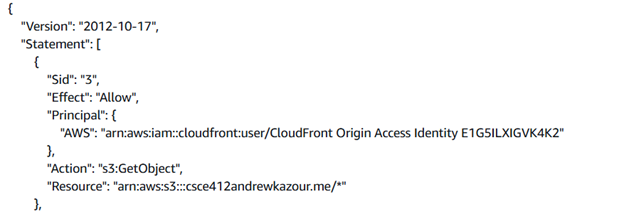
- Go to your related AWS S3 Bucket and go to edit Bucket Policy on the Permission Tab
- You'll find two policies with different Sid where one was created by the CloudFront Distribution
- Keep the newly created one and delete the old one
- On "Block public access (bucket settings)", block all public access to your bucket
This will make sure there is no unsecure access to the website.
Step 2: Create a GitHub Repository
- Create a git repository and add the website files to it
- Make sure index.html is outside of any folders
Step 3: Create a custom pipeline
- Create a pipeline with a meaningful name and make sure it is a “custom pipeline”
- Source Provider is GitHub
- Connect GitHub
- Log in and install an app to the repository
- Skip the build stage and the test stage
- Choose Amazon S3 as a Deploy provider
- Make sure during these steps, when it asks for a bucket, you choose your S3 bucket
- After this, the pipeline will be created and will be functional
- Go to the CloudFront distribution and change the default root object to index.html
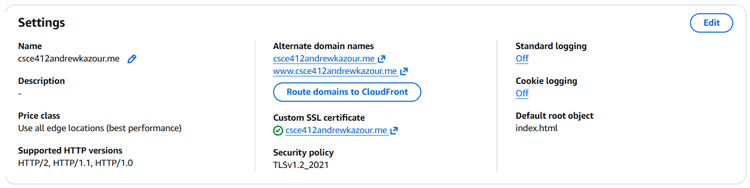
- Then go to behaviors and change the cache policy to "cache disabled."
Now the website should update quickly when you change the code.
How to update the website
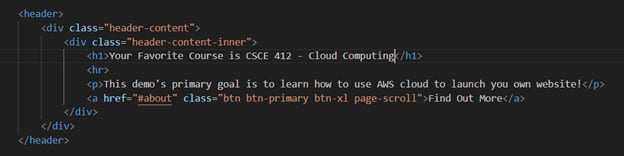
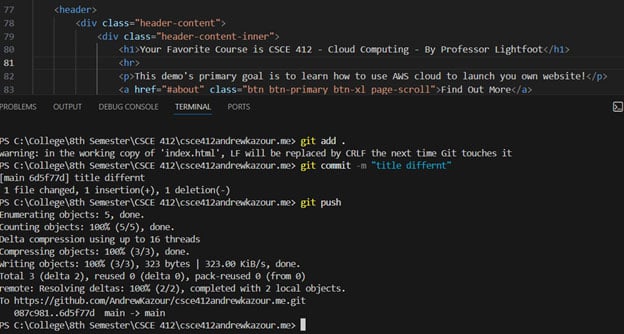
- Go to your VS Code and make an edit to the website code
- Then push to your Git repository
- Now wait a second while the code pipeline updates the website, and you're done!
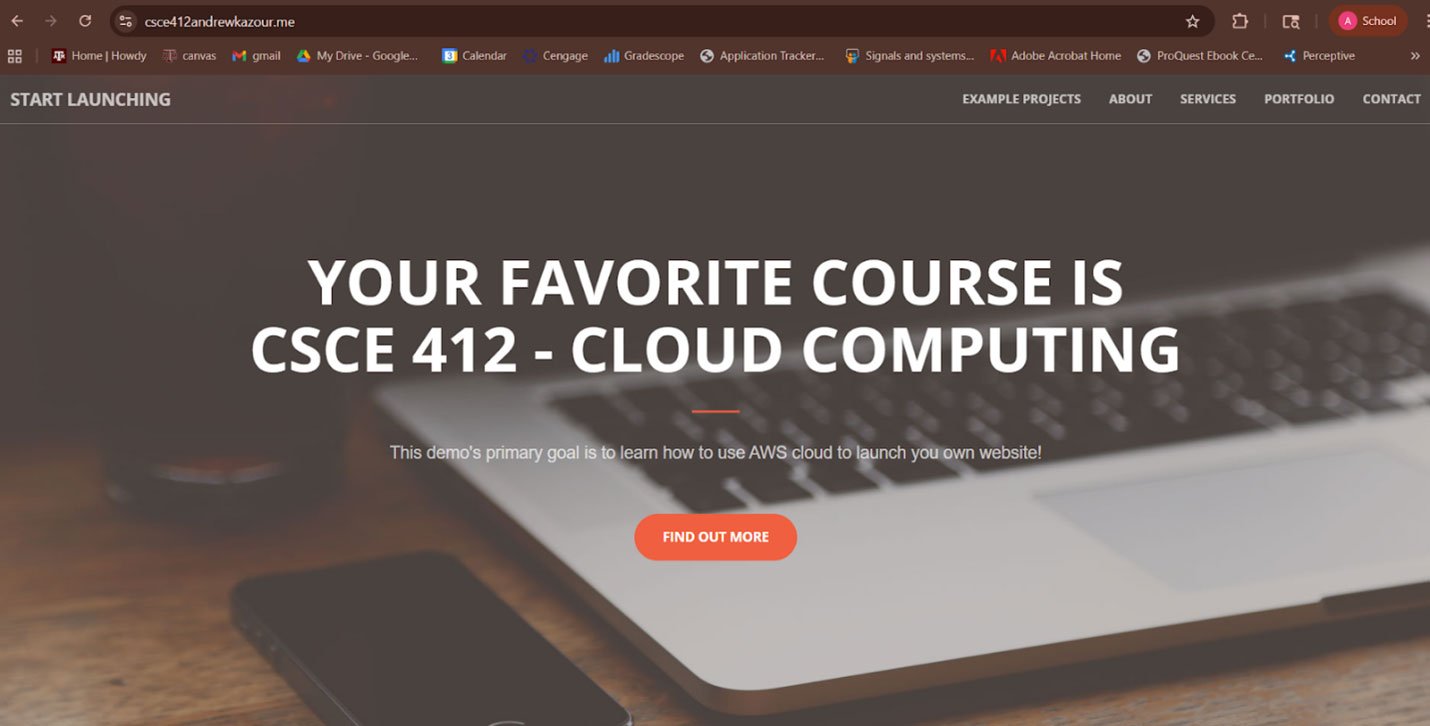
Before
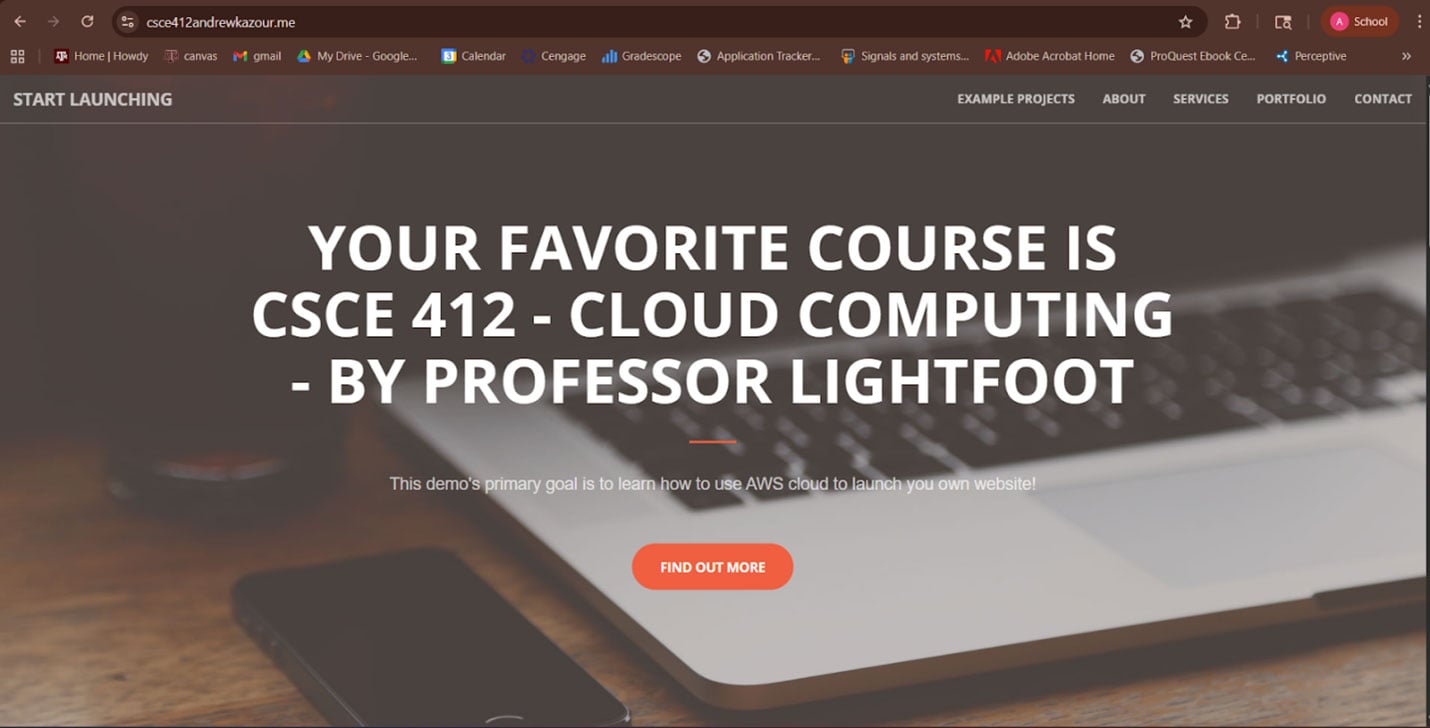
After
- There is a change in the title, and then it is pushed to GitHub
Conclusion
Now, just with a push to GitHub, your website easily changes without you having to upload new files to the AWS bucket. This makes the workflow really easy, and all professional websites need to have this implementation!